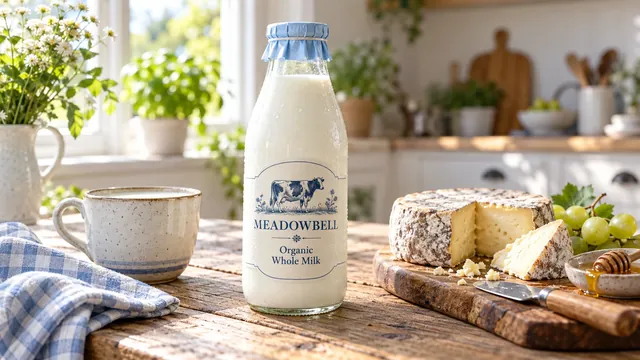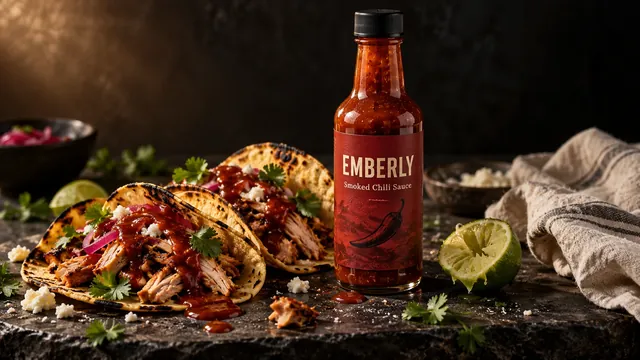
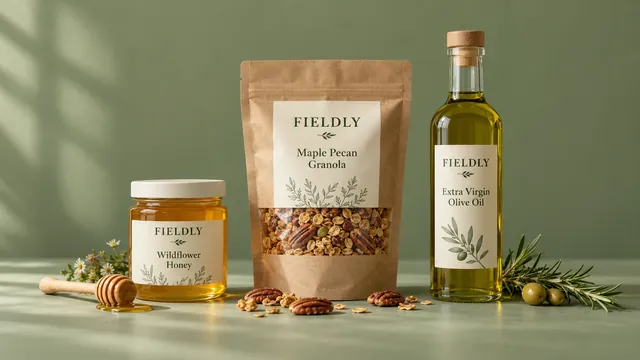
For years, great product photos meant one thing: ship your product to a studio, book a day, and wait. In 2026, more brands do it differently. E-commerce product photography online lets you send a few clear photos of your product and get back finished, on-brand images, without a studio, a set or a shipping box.
This guide explains how it works, when done-for-you product imagery is the right choice, and how to keep every product page looking like it belongs to the same brand.
What "product photography online" actually means
Instead of photographing your product in a physical studio, a remote creative team works from reference photos of your real product. They plan the scene, build it digitally around your packaging, and deliver images ready for your store and social channels.
Most modern workflows combine three things:
- Creative direction by a designer. Mood, light, props and composition chosen for your brand.
- Modern production tools, including AI. These build the scene, background and lighting around your real product.
- Hand checking. Every label, logo, color and proportion compared against your actual packaging, then corrected.
The third step is what separates professional work from a quick app filter. If the label is wrong, the image isn't ready.
Done-for-you product imagery vs. doing it yourself
| DIY phone photos | Done-for-you imagery | Traditional studio | |
|---|---|---|---|
| Effort for you | High | Low: send photos, approve | Medium: ship, brief, wait |
| Consistency | Hard to keep | Built in | Good per shoot |
| New scenes each month | Hard | Easy | A new booking each time |
| Turnaround | Same day | Days | Weeks |
| Best for | Quick stories | Store, ads and social every month | Large campaigns, fashion on models |
Done-for-you imagery fits best when you need fresh, consistent visuals every month and don't want to manage shoots.
Product photography ideas without a studio
Even if you shoot some images yourself, these ideas work without a studio:
- Window-light hero shot. Place the product near a north-facing window on a plain board. Soft daylight flatters most packaging.
- Ingredient story. Surround the product with what's inside it: fruit for a jam, botanicals for a serum, nuts for a spread.
- In-use moment. A hand spreading, pouring, lighting or applying. People buy the experience, not just the pack.
- Flat lay for bundles. Shoot from directly above for gift sets and multipacks.
- Seasonal swap. Keep the same angle and change the props for holidays. Your feed stays consistent while still feeling new.
For a deeper look at the shots every listing needs, read our product listing images guide.
How to build consistent product pages for Shopify
Inconsistent images make a store feel less trustworthy, even when each photo looks good on its own. To keep consistent product pages for Shopify:
- Fix your aspect ratio. Choose one, such as 1:1 or 4:5, and use it for every product.
- Use the same background family. All white, or all soft neutral. Don't mix.
- Match the light direction. If the light comes from the left on one product, it should on all of them.
- Keep the product size similar in the frame. Customers compare products side by side.
- Order images the same way. Hero shot, then detail, then lifestyle, then scale or size.
A done-for-you team can set these rules once and follow them for every new product you launch.
Where AI fits, including AI commercial food photography
AI is a production tool, not the creative. It's excellent at building backgrounds, lighting and props quickly, which is why AI commercial food photography has grown so fast for packaged food, snacks and drinks.
Where it needs a human:
- Labels and small text. Tools still blur or invent letters, so every frame needs checking against the real pack.
- Food realism. Crumbs, drips and textures must look edible, not plastic.
- Brand judgment. Knowing which scene fits your customer is a creative decision.
Used this way, AI shortens production time while the result still looks like your real product.
When to choose online product photography
It's a strong fit if you:
- Sell packaged products such as food, drinks, skincare, candles or gifts
- Need new images every month for social media and ads
- Launch new flavors or variants often
- Want lifestyle scenes without paying for locations and props
A traditional shoot may still be better for clothing on models or very large campaigns.
Want to see your own product this way? Request a free demo, or explore our product images service.
Frequently asked questions
Do I need to send my product to you?
No. Clear phone photos of the front, sides and a close-up of the label are enough for online product photography.
Will the images look like my real product?
They should, and that's the standard to hold any provider to. Labels, colors and proportions should match your real packaging exactly, with every frame checked by hand.
How many images does a Shopify product page need?
Most product pages work well with five to seven images: a hero shot, two or three details, one or two lifestyle scenes and a size or scale reference.
Is AI product photography allowed on marketplaces?
Generally yes for lifestyle and secondary images, but check each marketplace's current rules. Amazon, for example, has specific requirements for the main image, such as a pure white background.